
Search Tips to Find a Property on iKan Property Tax

Having trouble locating your property on iKan Property Tax? Try using some of the search tips below!
You can locate a county property account by searching with any of the following criteria:
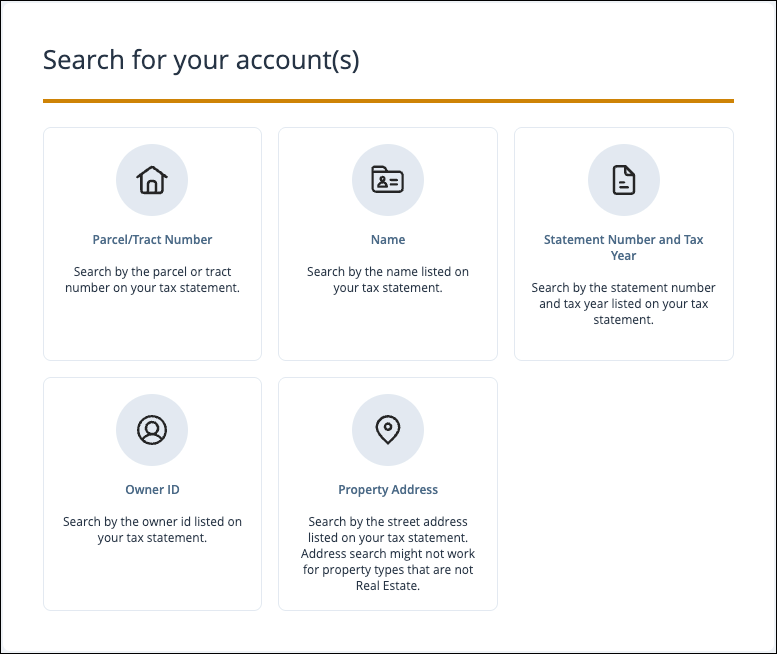
Parcel Number
- Enter the Parcel Number exactly as it appears on your bill
- If you don't know your Parcel Number, you can search for it on the county's property tax lookup tool
Name
- Search for the property using the owner's name as it appears on the bill
- If your name is usually shortened, you may need to search by your full name (i.e. Mike may need to search for Michael)
Address
- For directional streets, leave the direction (North, South, East, West, etc) out of the street name
- Do not include words or abbreviations like Drive, Court, Pl, Ave, Street, etc.
- Try dialing back the search to include only the first few characters or first word of the street name
Once your property is located, you can view your tax bill details and complete your payment. For information on how to pay a property tax bill, see Pay a Property Tax Bill on iKan Property Tax.